

HomeCanvas Project
HomeCanvas: My Home Kiosk Has Grown Up
I recently wrote about vibe-coding a home kiosk. Since then, the project has grown quite a bit. It has a new name—HomeCanvas—a refreshed interface, and a much fuller set of features.
HomeCanvas runs as a touchscreen kiosk on a Raspberry Pi. It started with a simple idea: make it easy to browse photos from my Immich server on a screen around the home. I’ve been using it every day since the early versions, and it’s grown into something I rely on for photos, music, and the small bits of household information I want to see at a glance.
More than a photo frame
HomeCanvas still makes a great photo frame. It connects to your Immich library, where you can browse albums, view photos, play videos, and start a slideshow. The viewer supports familiar touchscreen gestures like pinch-to-zoom and swiping between photos.
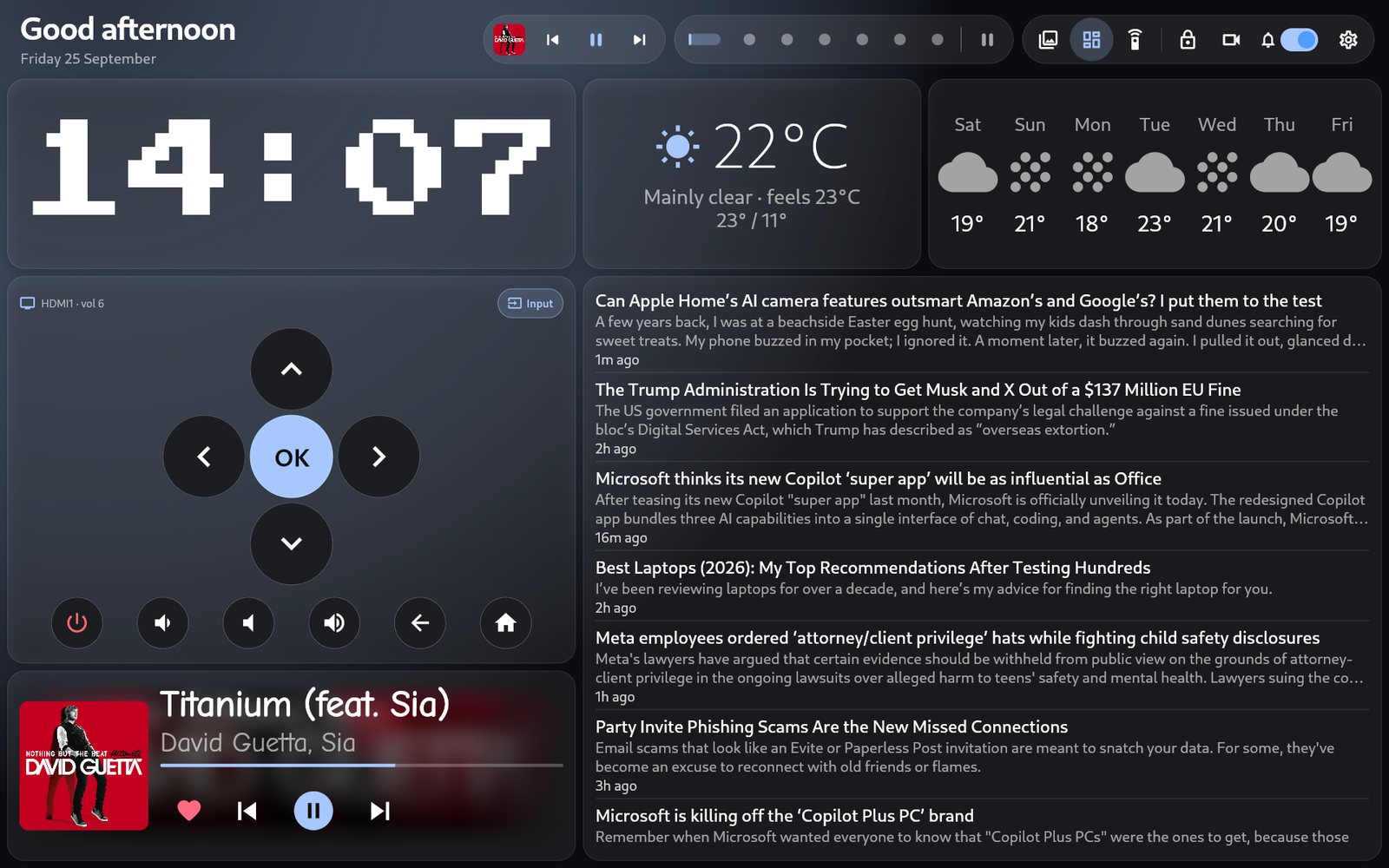
But it’s also become a home dashboard. You can arrange nearly forty widgets across multiple pages, then edit the layout from a browser on your home network. Add a clock, calendar, weather, news, train departures, bin reminders, chores, network information, or details about your home lab.
Pages can rotate automatically, or appear only at certain times of day. Widgets can have their own schedules, too, so you can show the morning train times when you need them and keep them out of sight the rest of the day.
What’s new
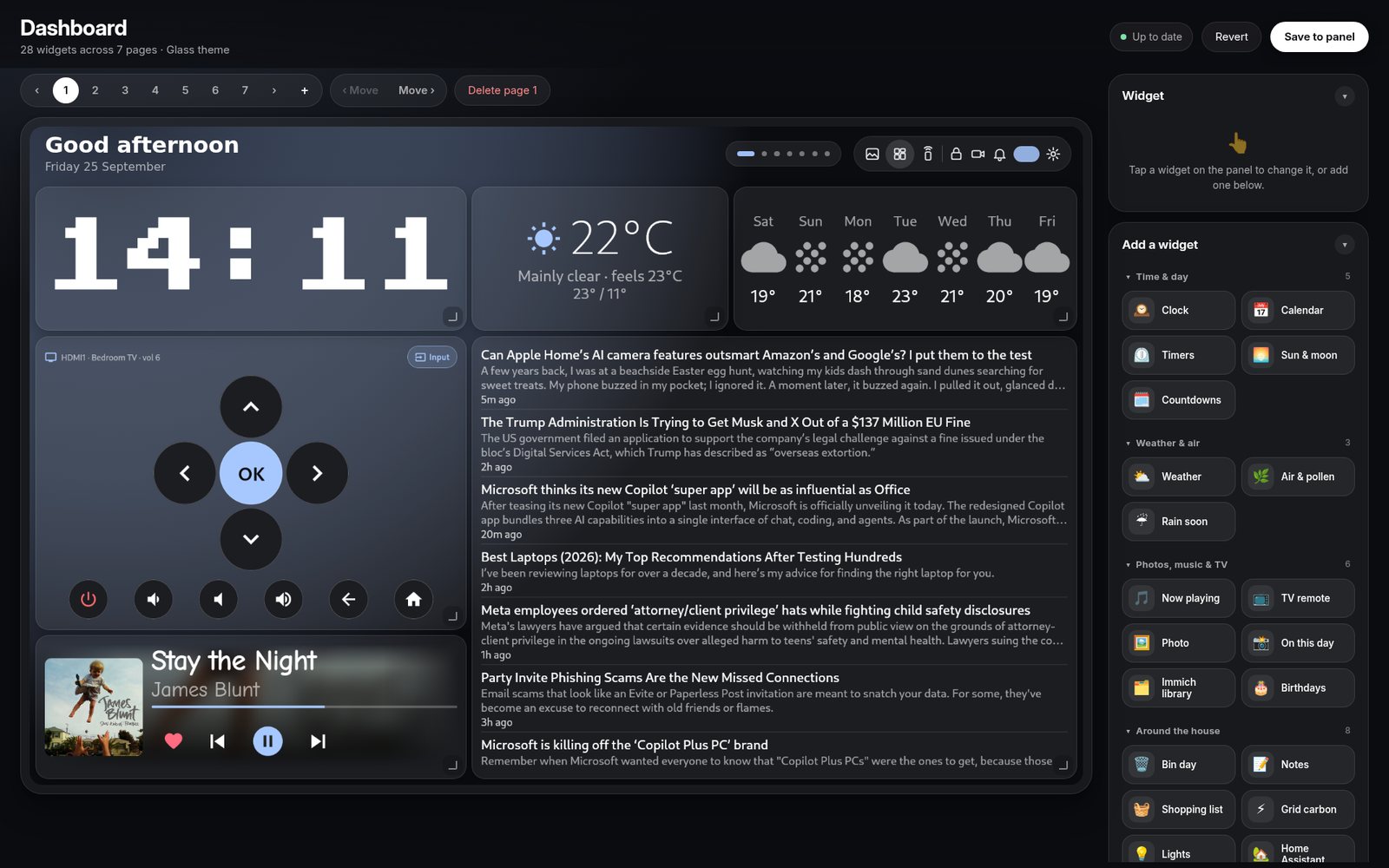
- A browser-based dashboard editor: Add, configure, resize, and arrange widgets from another device on your home network.
- News with read-aloud: Browse news feeds, open articles in a reader view, or have them read aloud with Piper.
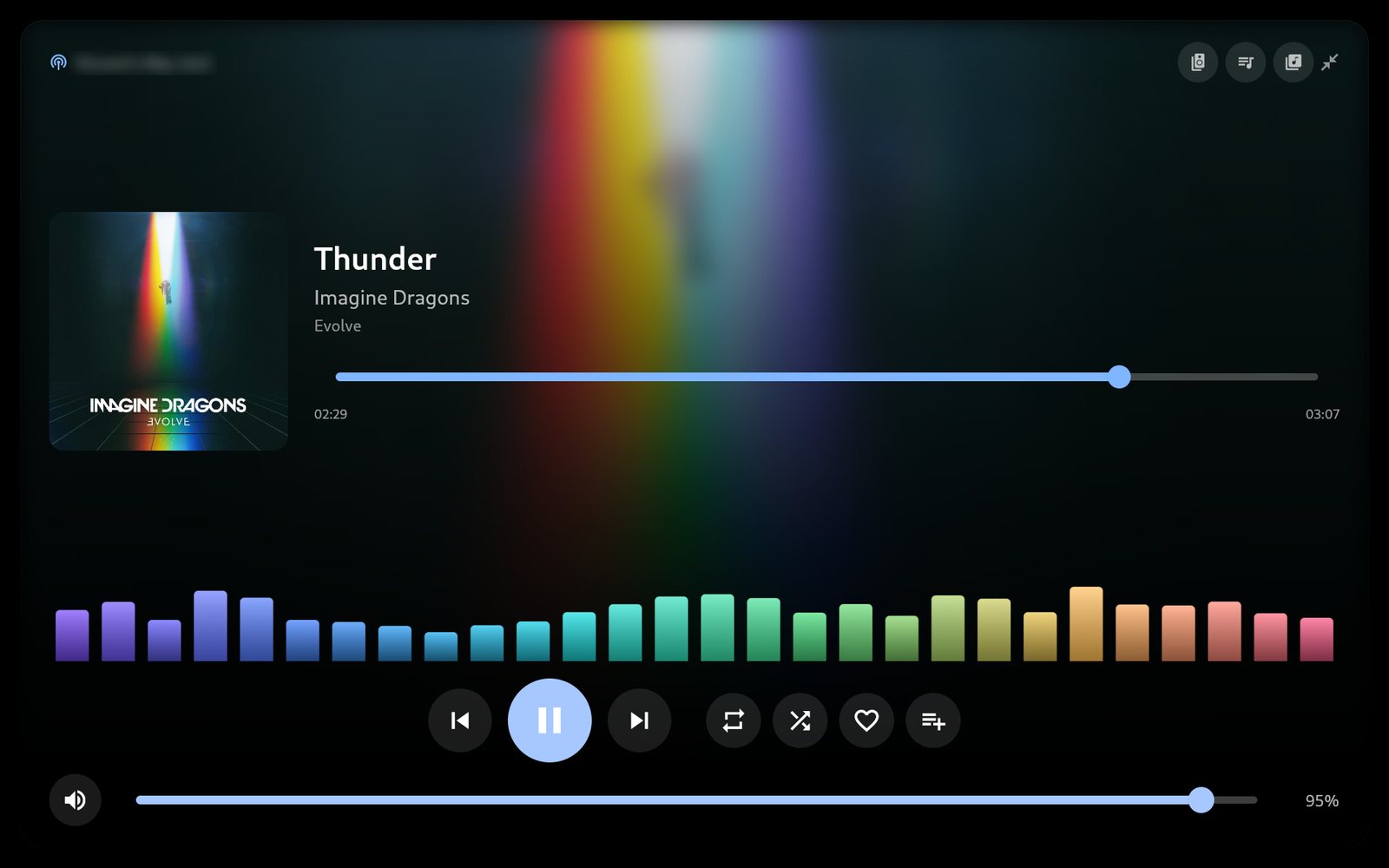
- Spotify controls and a full-screen player: Control playback, shuffle, playlists, and more. The player can take over the screen while music is playing.
- Bluetooth audio: Pair a phone with the Pi and play its audio through speakers connected to the kiosk.
- Phone sharing: Send photos, videos, links, and notes to HomeCanvas from the companion Android app. Notes can also be read aloud.
Here’s the dashboard editor, which you can open in a browser on your home network:
The full-screen player makes music controls easy to reach from across the room:
What’s improved
- A refreshed, consistent interface: The updated design carries across the dashboard, photo browser, music player, and settings.
- Sixteen themes: Choose from dark and light styles, or create your own using the included theme guide and template.
- A more complete photo and video experience: Browse Immich albums, view photos, play videos, and start slideshows. The photo viewer supports pinch-to-zoom and swiping between images.
- Improved setup and documentation: The installation guide covers the Pi setup, dashboard, themes, and optional features.
- Performance and reliability improvements: The kiosk feels faster, alongside a range of bug fixes.

Music and sharing
HomeCanvas can turn the Pi into a Bluetooth speaker: pair a phone and play its audio through the speakers connected to the kiosk. It can also appear as a Spotify Connect device, and the player gives you controls for playback, playlists, shuffle, and more.
There’s also a companion Android app for sharing photos, videos, links, and notes to the kiosk. Notes can be read aloud using Piper, which runs locally on the Pi.
Make it your own
The dashboard editor makes it easy to add, arrange, resize, and configure widgets in a browser. HomeCanvas now includes sixteen themes, covering both dark and light styles, and the theme carries through the dashboard, photo browser, music player, and settings.
If you want to go further, the repository includes a template and instructions for creating your own theme. There’s a detailed guide to setting up the project, its optional features, and its widgets.
Built for everyday use
This has been a month of polishing as well as adding features: a more consistent interface, faster-feeling screens, new installation instructions, and plenty of bug fixes. HomeCanvas starts in kiosk mode and is designed for a touchscreen, so it feels at home on a wall or shelf without needing a mouse and keyboard.
The project is built for a Raspberry Pi 5 or Pi 4 with a DSI touchscreen and an Immich server. The installation guide walks through the setup, and the project page has more screenshots and the full feature list.
HomeCanvas has come a long way from my first kiosk experiments. I’m still using it every day, and I’m looking forward to seeing what people do with it.